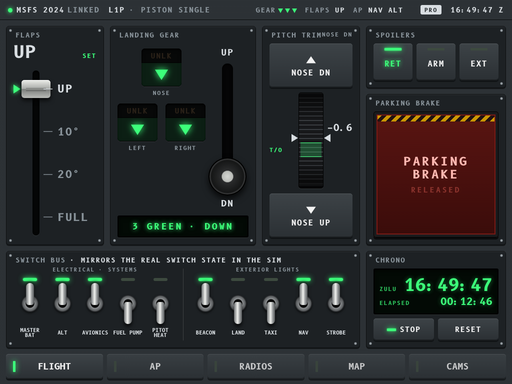
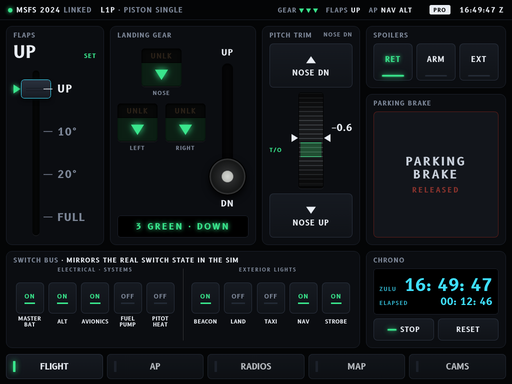
Flaps, gear, autopilot, radios and a moving map, on the iPad in your drawer. It opens in Safari over your Wi-Fi: nothing to install on the tablet, and not one frame taken from the sim.
Free forever for VFR. Pro is $10, once. The waitlist hears first.
Runs on
iOS 9+
Frames taken
0
Tablet apps
0
Live demo · one flight
Tap the iPad and the cockpit on the monitor obeys. Click a switch in the sim and the iPad already knows.
⇄
Links itself to
MSFS 2024incl. Career Mode
MSFS 2020Windows
X-Plane 12Windows · macOS
X-Plane 11Windows · macOS
DCS WorldPro · coming in 1.1
Landing gear · live from the sim
UPUNLK3 GREEN
Real telemetry, both ways
It reads the sim. It never guesses.
Most tablet panels fire a keystroke and hope it landed. This one subscribes to the simulator's own state, ten times a second, and shows you what the aircraft is actually doing.
01
Amber while the gear is really moving.
No timers. The lamps follow the position of each leg and only turn green when the sim says it has locked.
02
Flip it anywhere, see it everywhere.
Tablet, joystick button or the 3D cockpit: change a switch in one and the other two already know.
03
Spawn with strobes on? The key is already lit.
The panel opens in the state your flight is in, not the state it assumes.
The panel
Five pages. One per phase of flight.
Built for glass: no tiny round knobs to twist with a fingertip. You type the number, then tap where it goes.
Same flight as the iPad at the top · go ahead and touch it
Home cockpit · Pro
Three old screens. One flight.
The map on a retired iPad mini, the radios on a phone from 2011, the autopilot on an iPad Air. Every screen reads the same simulator, so a tap on one shows up on all of them, and on the panel in the sim.
iPad mini 2 · 2013 · Map
iPhone 4s · 2011 · Radios
iPad Air · 2013 · Autopilot
Screens from the drawer$0
dustyCockpit Pro, once$10
A trio of USB hardware panels~$460
Frames lost in the sim0
Performance
Zero frames. Really.
Pop a panel out to a second screen and your GPU has to draw it. In MSFS that can eat 40 to 75% of your frame rate and stall frame generation. This panel is a web page drawn by the tablet's own chip. Your graphics card never hears about it, and the sim window never loses focus.
Pop-out panel on a second display−40 to −75%
dustyCockpit on a tablet−0
Frame rate left in the simulator. The pop-out range is what MSFS 2020/2024 users commonly report; yours will vary. Ours stays where it is.
Rehired
Grounded by its apps. Cleared by Safari.
The chart apps moved on to iPadOS 18. The button-deck apps want 17. The tablet itself is still fine. If it opens a web page, it flies here.
iPad mini 22013 · stuck on iOS 12REHIRED
iPad mini 32014 · stuck on iOS 12REHIRED
iPad mini 42015 · stuck on iPadOS 15REHIRED
iPad Air2013 · stuck on iOS 12REHIRED
iPad Air 22014 · stuck on iPadOS 15REHIRED
iPad Pro 9.7"2016 · stuck on iPadOS 16REHIRED
iPad (3rd gen)2012 · iOS 9.3.5, the floorREHIRED
Anything newerNew iPad, Android tablet, spare phoneALSO FINE · DUST IS OPTIONAL
Cockpits
Six cockpits. It changes when the aircraft does.
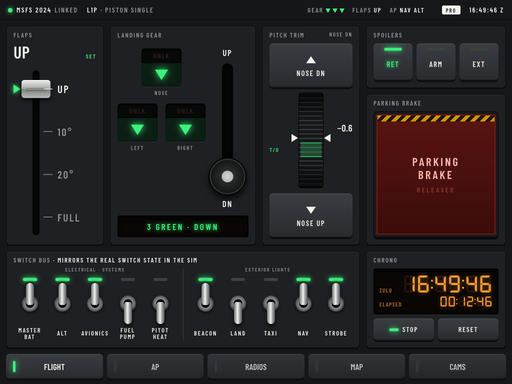
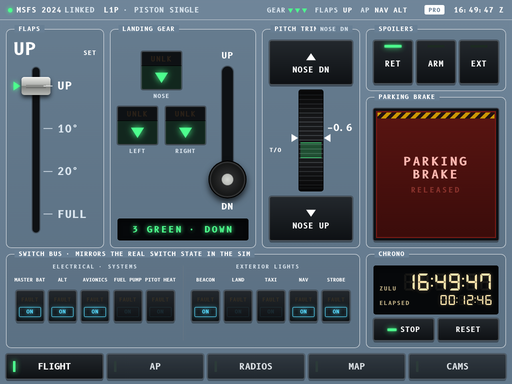
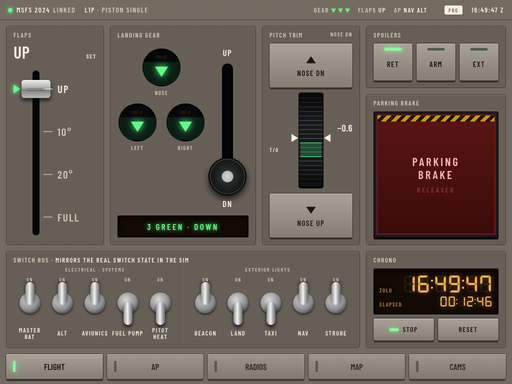
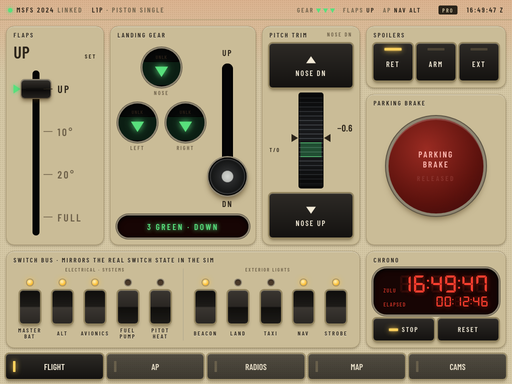
Load a piston single and the panel turns 1978. Load an airliner and it goes blue-grey. Same tablet, no taps.
Standard Dark FREE
Matte black GA panel, white silk-screen, green and amber lamps.
Blue-Grey Liner PRO
European airliner blue-grey, square pushbuttons with lit ON legends.
Classic Heavy PRO
Warm brown-grey long-hauler, amber displays, metal toggles.
1978 Analog PRO
Cream plastic, black rockers, red LEDs and red night lighting.
Fighter MFD PRO
Military grey, corner screws, green phosphor screens.
Dark Glass PRO
Modern integrated avionics: black bezel, cyan values, magenta route.
Pricing at launch
Free to fly. $10 to own the whole deck.
One payment for every simulator, every aircraft and every update. Nothing in Free ever moves to Pro.
Free · no time limit
$0
MSFS 2020/2024 and X-Plane 11/12, linked automatically
Stick Companion: flaps, gear with three greens, pitch trim, spoilers, parking brake
No subscription No per-aircraft packs No account, no cloud Nothing in your Community folder
Questions
Before you ask.
When can I get it?
It's on final approach. Join the waitlist and you get one email on launch day with the download and your 2-Hour Test Flight. Nothing else, no newsletter.
Do I install anything on the tablet?
No. The app runs on your computer and the tablet opens a page in its browser over your Wi-Fi. Add it to the Home Screen and it goes full screen.
Does it work in MSFS 2024 Career Mode?
Yes. It talks to the sim from outside and puts nothing in the Community folder.
What about study-level airliners?
Gear, flaps, lights, autopilot and radios work on anything that uses the standard systems. For aircraft with their own logic, Pro lets you bind custom variables or import a community template.
Is there a Mac version?
Yes, for X-Plane 11 and 12. MSFS only exists on Windows, so that link does too.
Is my iPad too old?
If it runs iOS 9.3.5 or later, it works. That goes back to 2011.
Is my iPad too new?
No. Any current tablet or phone works the same way. Old ones are just cheaper to dedicate to the desk.
Who makes this?
The maker of dustyPad, which turns old iPads into shortcut pads for the Mac. Questions: hi@dustycockpit.com.
Gear in transit
Put the iPad back on duty.
Join the waitlist. One email on launch day, then ten minutes from download to three greens.